How to delete browsing history permanently
Your browser's Clear history button removes entries from view, but they can linger inside the browser's database files, along with cookies, cache and the downloads list. Here's how to delete browsing history so it's really gone.
The steps
With Evidence Wipe.
- 1. Close your browsersSo their files aren't in use.
- 2. ScanEvidence Wipe lists every browser and profile.
- 3. PreviewChoose history, cookies, cache and downloads list; leave passwords unticked if you want to keep them.
- 4. CleanEntries are removed and the space they used is overwritten.
- 5. Windows traces tooClean recent files, jump lists and thumbnail cache.
In Evidence Wipe
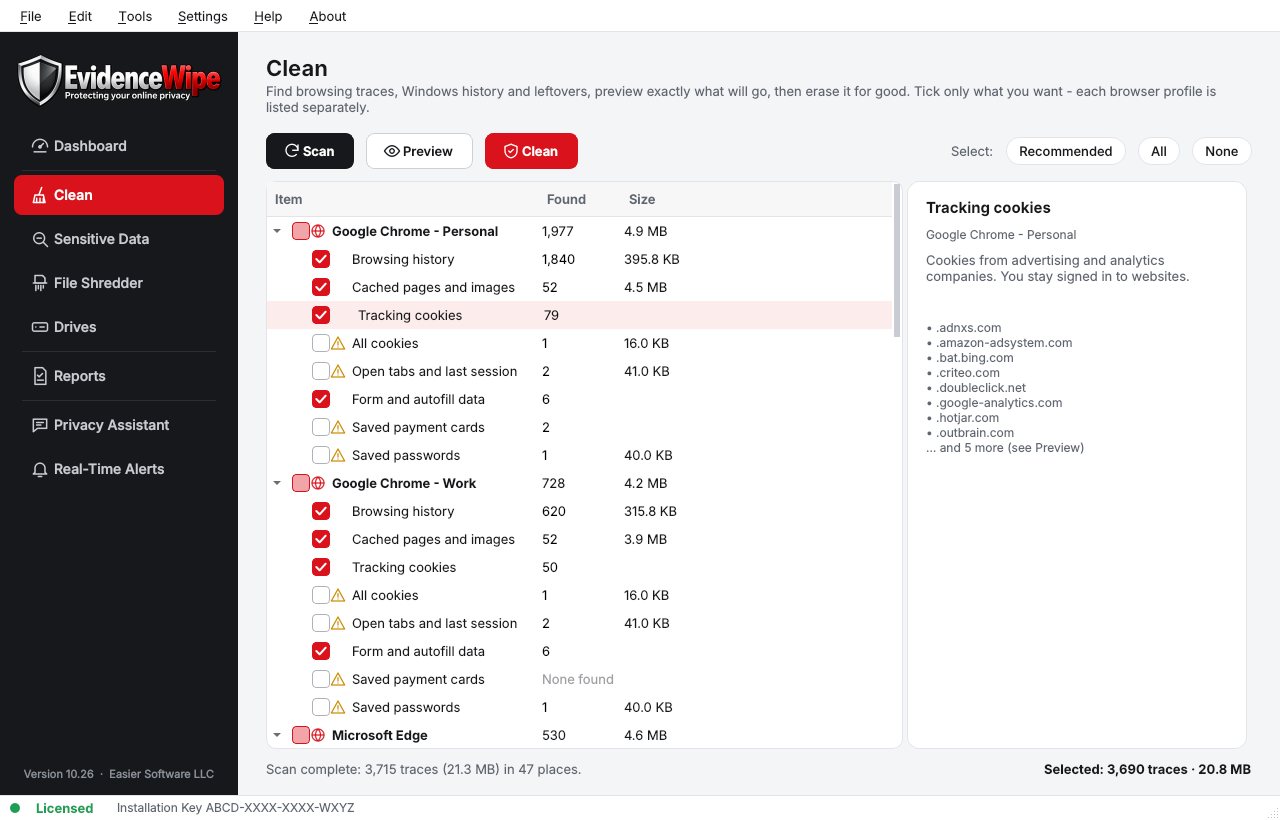
Scan
Evidence Wipe scans your browsers, Windows and drives and shows how much private data it found, with a privacy score on the dashboard.
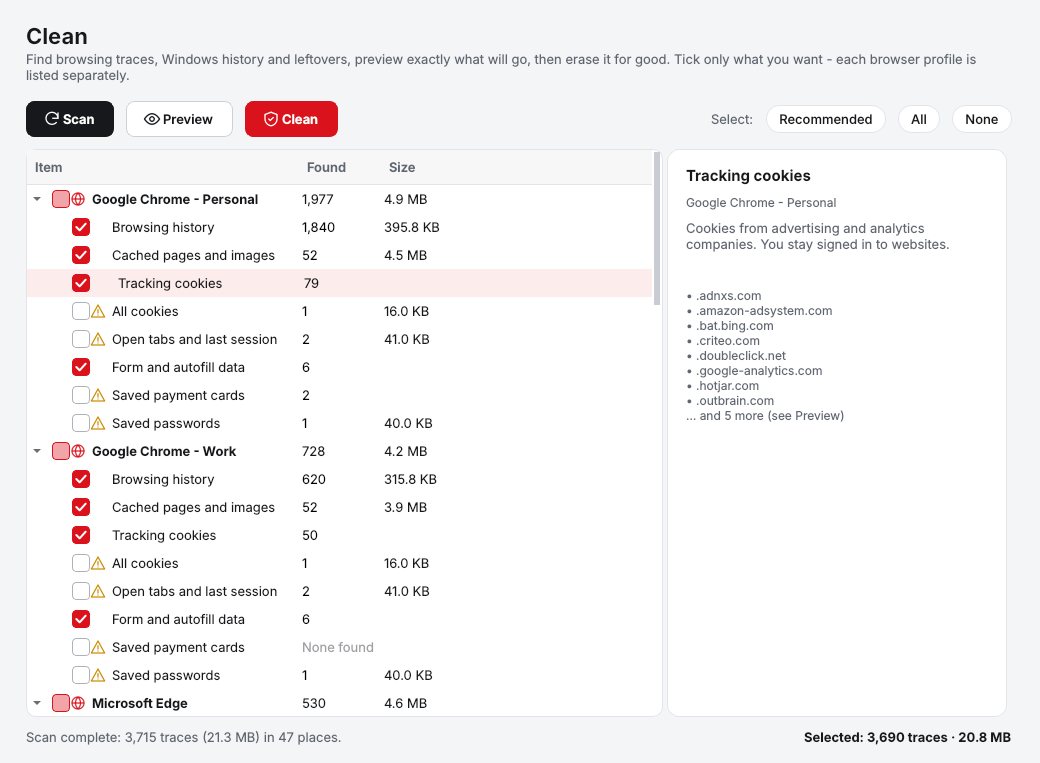
Preview and select
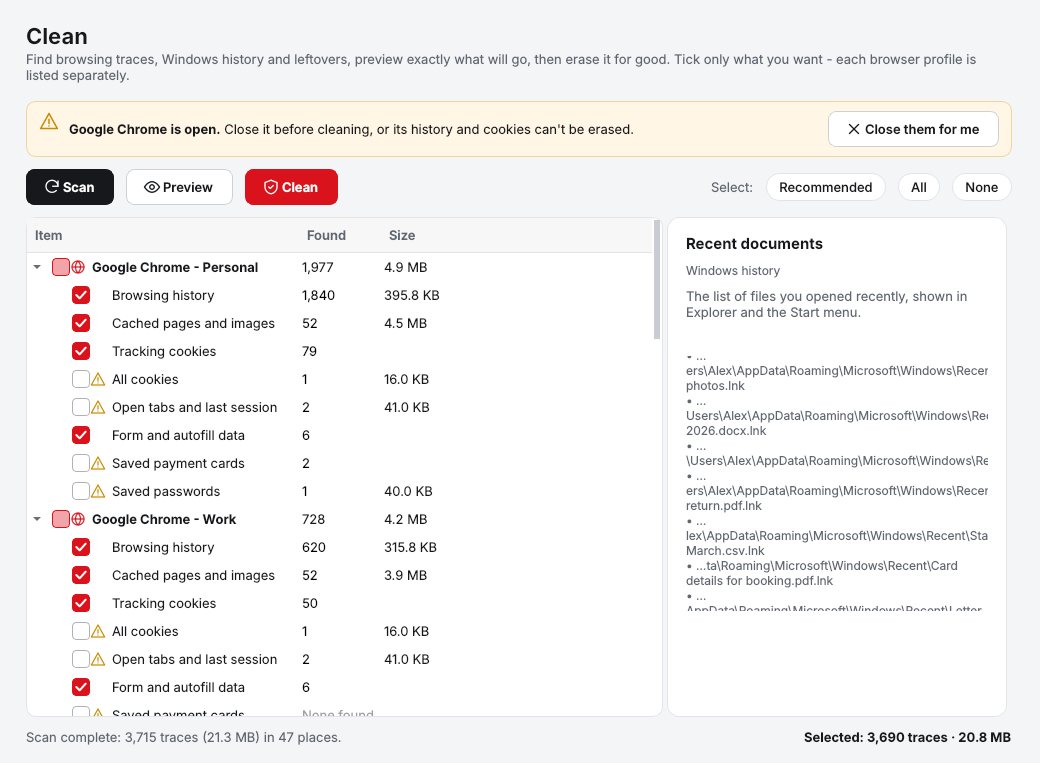
The Cleaning Preview lists every item that will be removed, grouped and sized. Untick anything you want to keep.
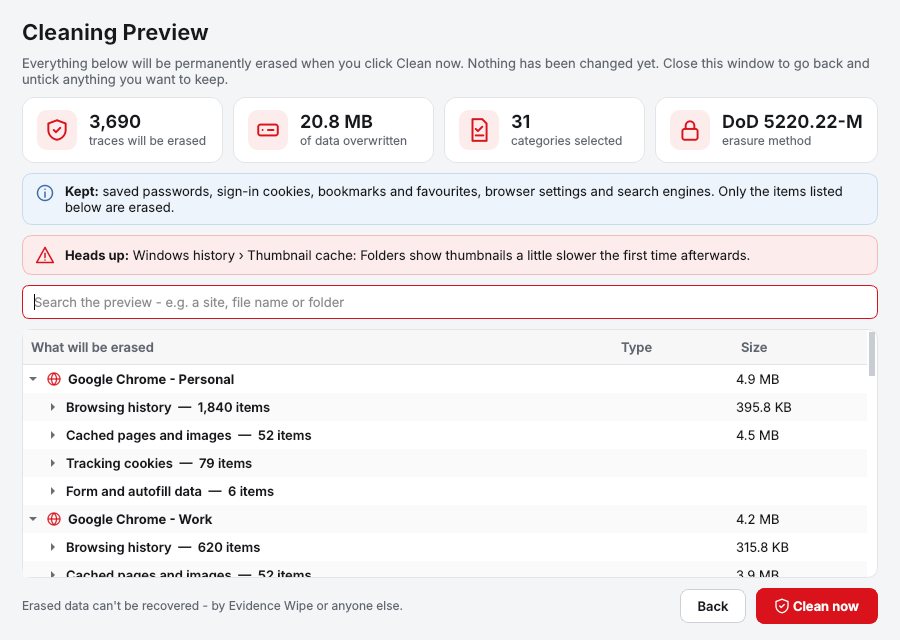
Securely erase
Click Clean. Data is overwritten using the right method for each drive, not just hidden.
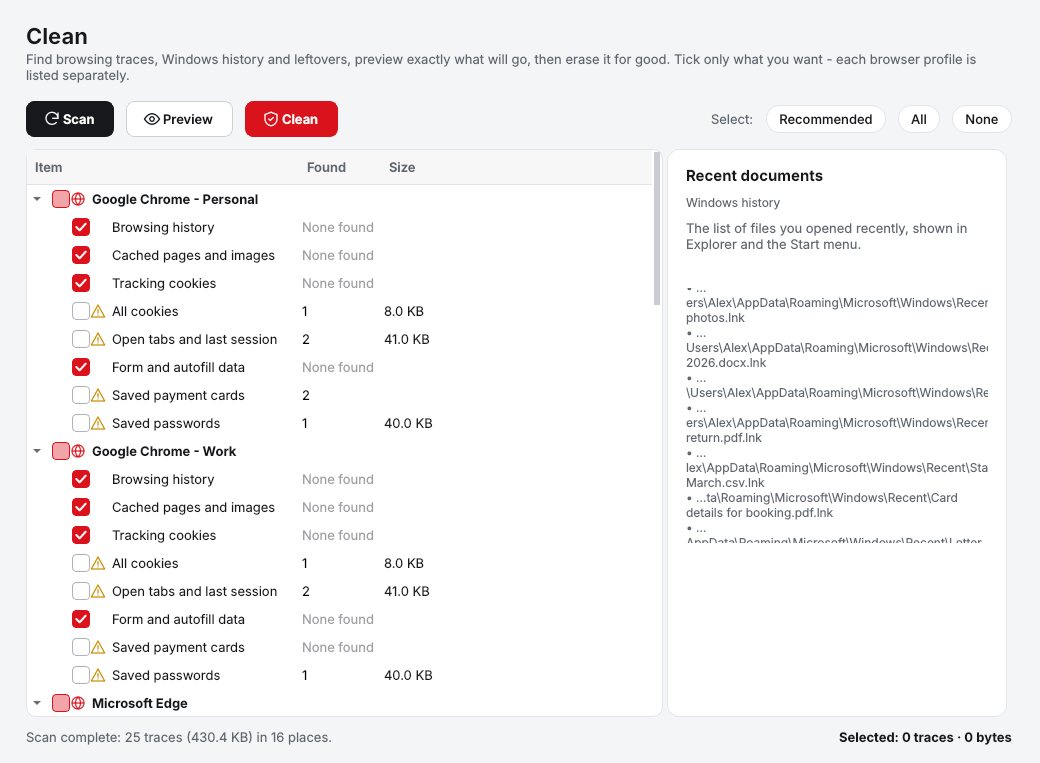
Schedule it
Clean automatically each day or week.
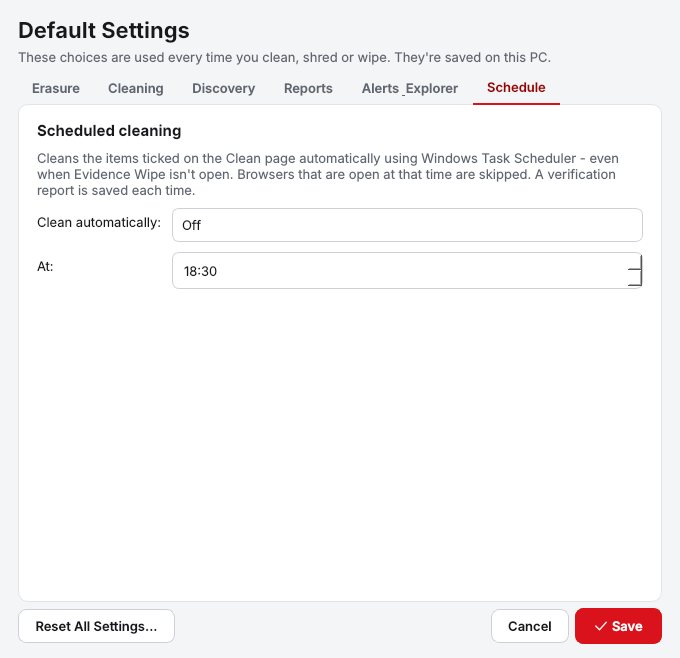
It checks the browser is closed
If a browser is open, Evidence Wipe asks you to close it so its files can be cleaned.
Why Evidence Wipe
Every browser, every profile
Chrome, Edge, Firefox, Brave, Opera and Vivaldi, plus Internet Explorer leftovers, each profile cleaned on its own. Bookmarks always stay.
Cleaning Preview
See every browser entry, file and Windows item before anything is deleted. Search the list and untick what you want to keep.
Windows traces
Recent documents, jump lists, Run history, File Explorer searches, Activity History, Office recent files, thumbnail cache and Prefetch.
Scheduled cleaning
Set it once and Evidence Wipe cleans automatically each day or week, with a report every time.
Who it's not for: Mac, Linux, iPhone or Android users. Evidence Wipe runs on 64-bit Windows 10 and 11.
One license. No subscription.
One-time payment · instant download
- PlatformWindows 10 & 11 (64-bit)
- FeaturesAll included
- UpdatesFree
- Activations1 PC
- Deliverydownload + key by email
Get Evidence Wipe
You'll go straight to your download page once payment is confirmed, and we'll email your download link and license key.
Buy license · $54.95Already bought it? Re-download or recover your key.