
Data erasure with proof of what was erased
Evidence Wipe erases data with recognized overwrite methods, reads back the final pass to check it, and produces a verification report for every clean, shred and wipe, with a tamper-check fingerprint and CSV export.
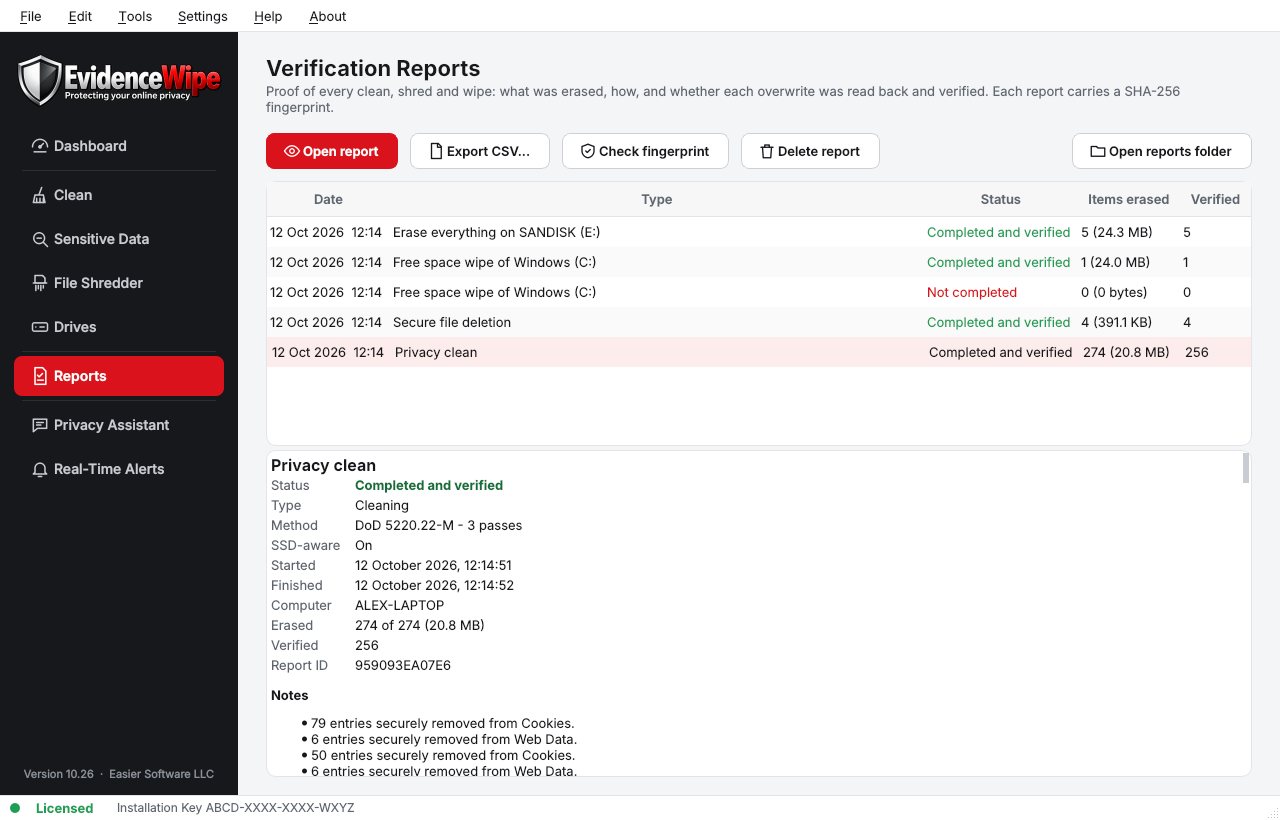
What's in a verification report
From the Evidence Wipe feature list.
- WhatWhat was erased.
- HowWhich method was used.
- WhenThe date and time.
- IntegrityA tamper-check fingerprint.
- SharingExport to CSV, and hide file names if you share it.
Erase data in four steps
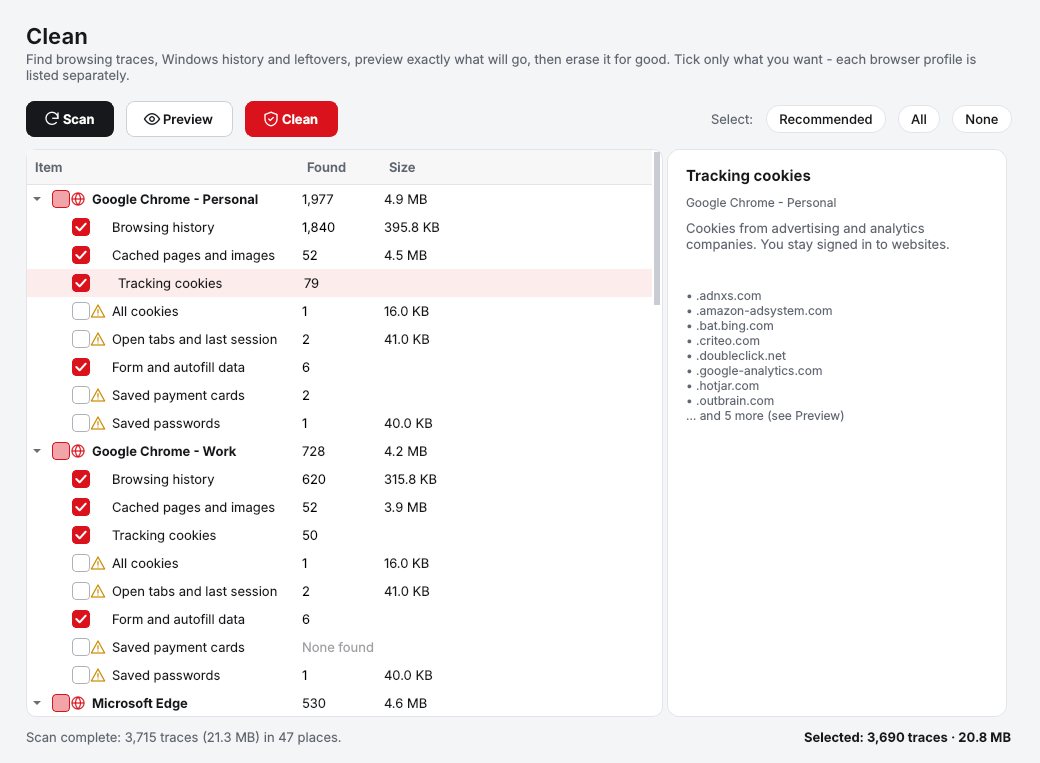
Scan
Evidence Wipe scans your browsers, Windows and drives and shows how much private data it found, with a privacy score on the dashboard.
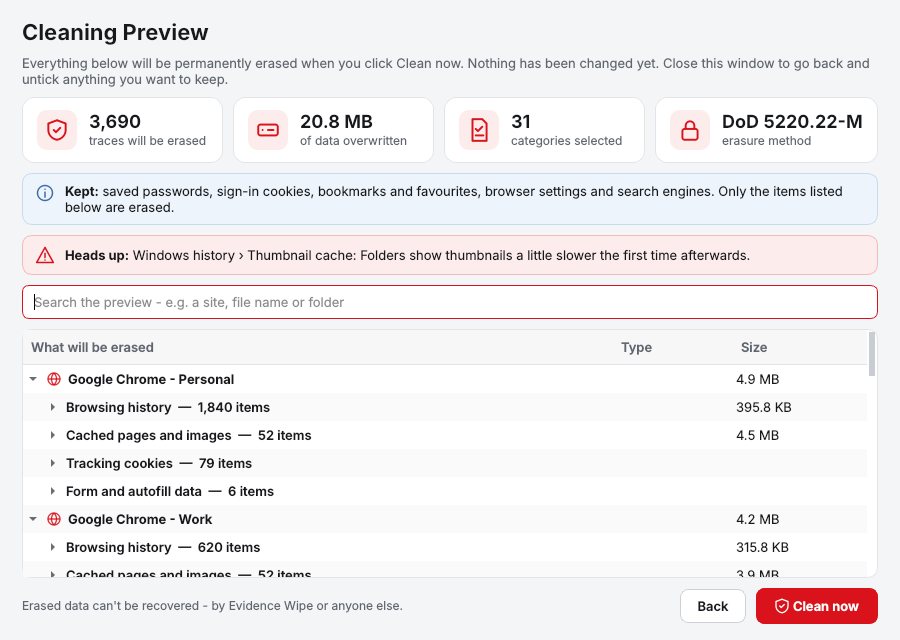
Preview and select
The Cleaning Preview lists every item that will be removed, grouped and sized. Untick anything you want to keep.
Securely erase
Click Clean. Data is overwritten using the right method for each drive, not just hidden.
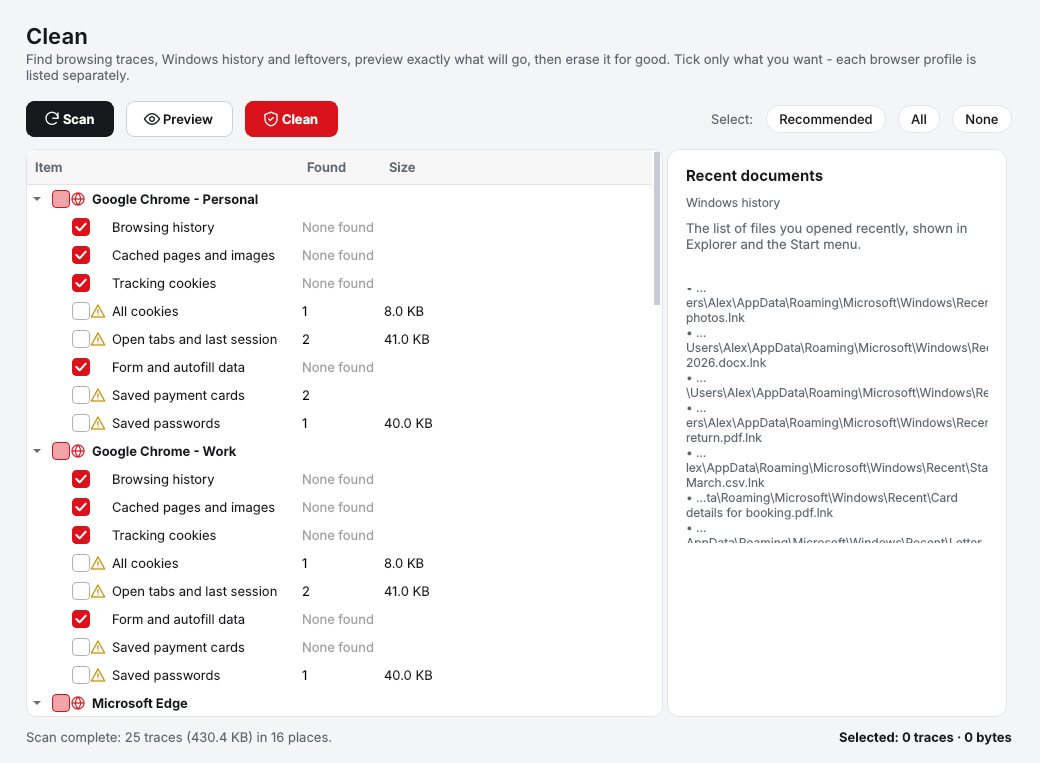
Keep the report
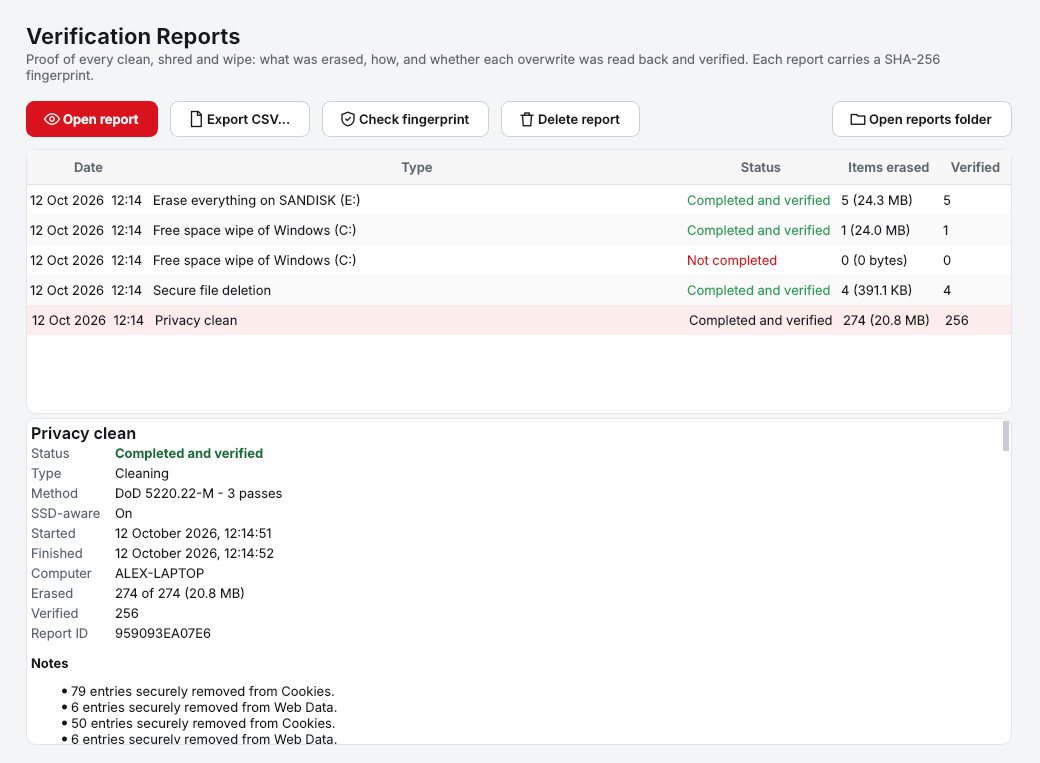
A verification report records what was erased, how and when, with a tamper-check fingerprint.
What, how and when
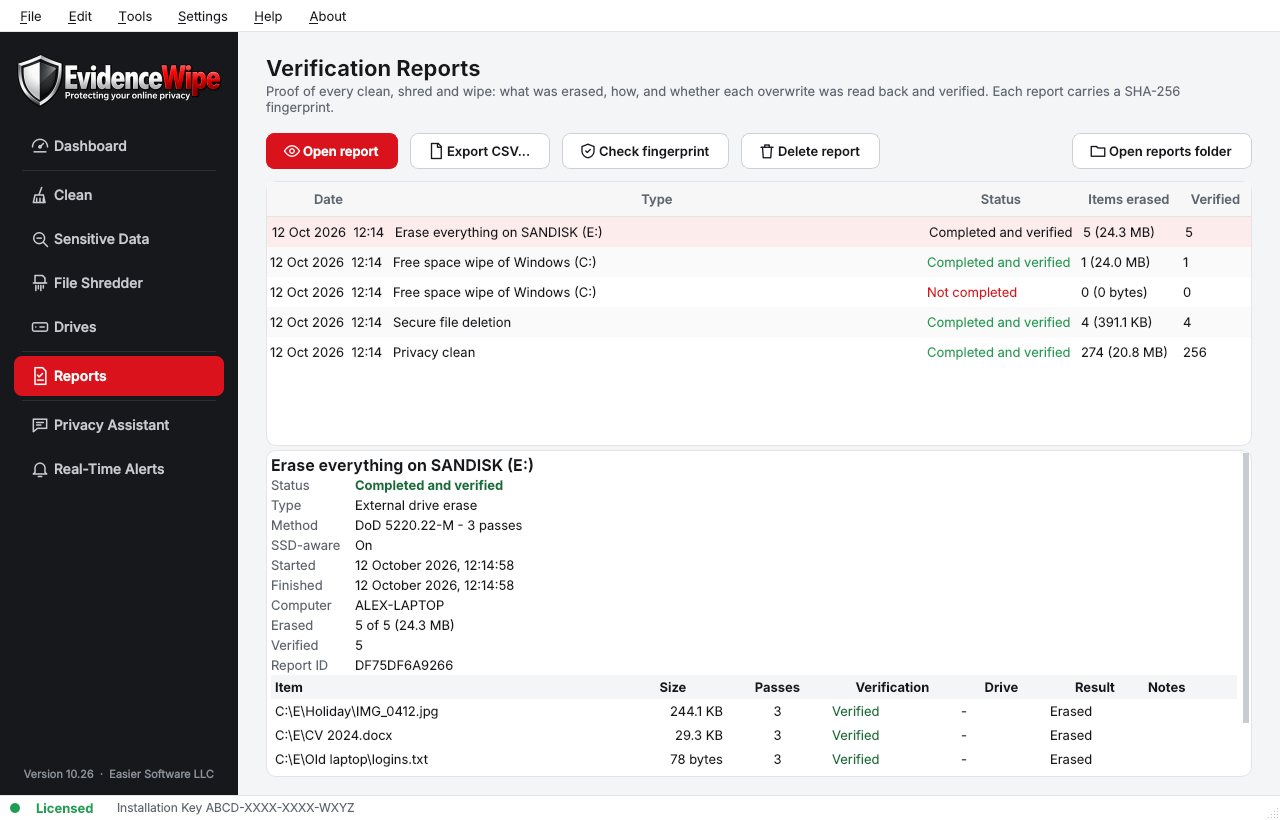
Each report records what was erased, the method and the result.
Why Evidence Wipe
Verification reports
Every clean, shred and wipe produces a report of what was erased, how and when, with a tamper-check fingerprint. Export to CSV.
SSD-aware erasure
Detects SSD, NVMe, hard drive or USB and picks the method: a verified overwrite plus TRIM on SSDs, DoD 5220.22-M or Gutmann on hard drives.
External drives
Scan, wipe free space or fully erase USB flash drives, SD cards and external hard drives.
Runs on your PC
Scanning, AI detection and erasing all run locally. Only the license check and update check go online.
Who it's not for: Mac, Linux, iPhone or Android users. Evidence Wipe runs on 64-bit Windows 10 and 11.
One license. No subscription.
One-time payment · instant download
- PlatformWindows 10 & 11 (64-bit)
- FeaturesAll included
- UpdatesFree
- Activations1 PC
- Deliverydownload + key by email
Get Evidence Wipe
You'll go straight to your download page once payment is confirmed, and we'll email your download link and license key.
Buy license · $54.95Already bought it? Re-download or recover your key.
Data erasure questions
Does secure erase work on SSDs?
How do I make files I already deleted unrecoverable?
Can I share the report?
Does Evidence Wipe upload my data?
Is it a one-time purchase?
More from Evidence Wipe
Erase it. Prove it.
Recognized methods and a verification report for every job.
Buy license · $54.95